v1.0.1
Your agent just retried the same failing call forty times.
TokenShrinker runs on 127.0.0.1:1337
and sits between your tools and the provider. It stops the loop, shrinks the payload, and catches the API key
you did not notice was in the log you pasted.
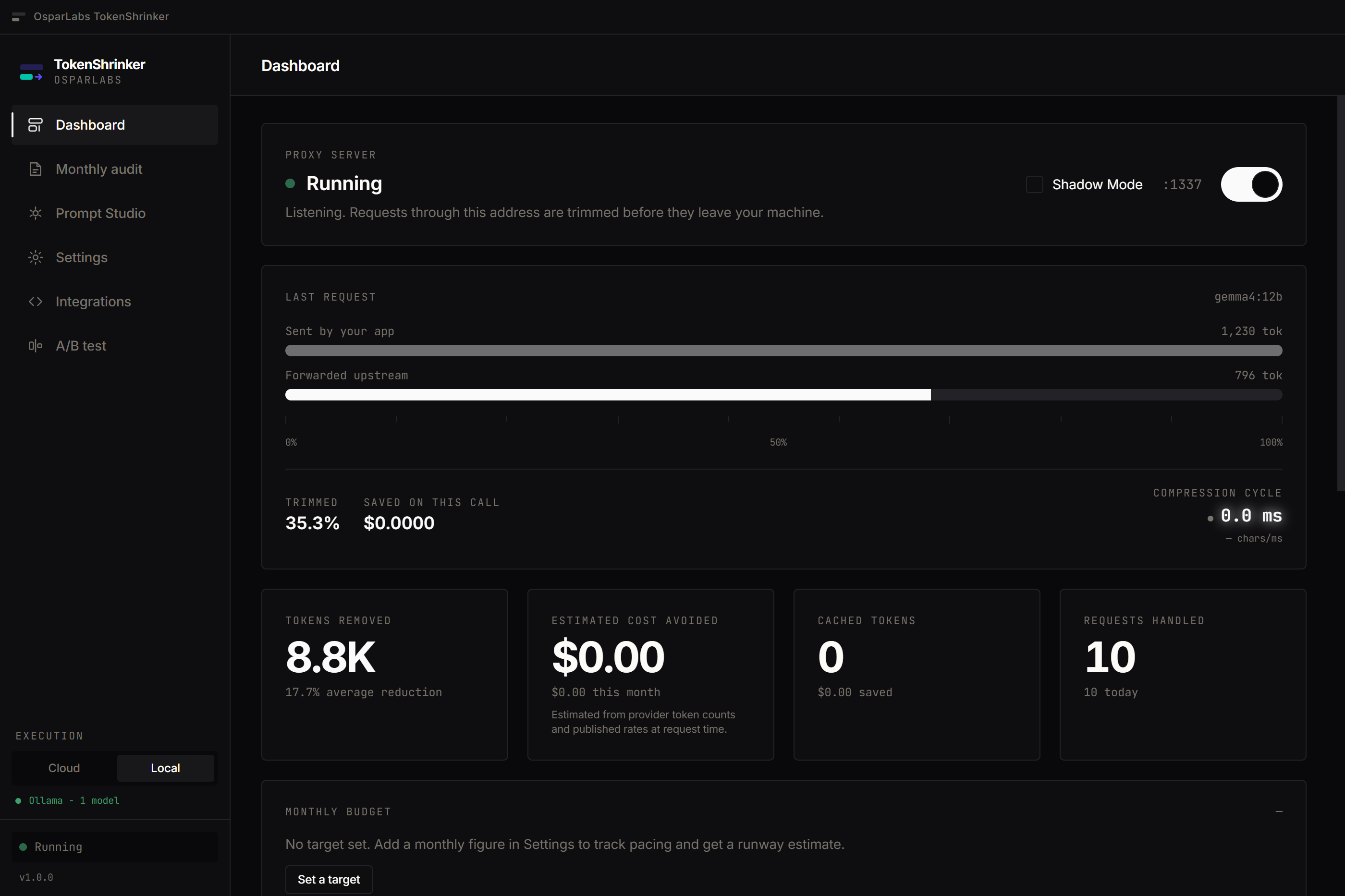
What it does
Every figure below is measurable on your own prompts inside the app.
Agent loop breaker
A retry loop can burn a month of budget in ten minutes and you find out from the invoice. Near-identical calls are fingerprinted locally and blocked at the fourth repeat within a rolling window. Similarity threshold 0.92 — tuned against real prompt sets so distinct work is never caught.
Blocks expire on their own
Structural compression
JSON, logs and stack traces change every request, so provider caching cannot help. Repeated object keys become a header plus rows, duplicate log lines collapse to counts, vendor stack frames fold away. JSON is re-parsed and compared before it is sent — lossless or skipped.
34% / 24% / 35% on representative traffic
Offline Ollama mode
Point the proxy at a local model and everything runs on your own hardware. No key, no account, no connection, no quota. Free on every tier, permanently — a subscription lapse never touches it.
Unlimited on Free
Secret pre-flight
Prompts are scanned locally for AWS and provider keys, private key blocks, database URLs, JWTs and card numbers before anything leaves. You choose: redact, send anyway, or cancel. Pattern-based, and the product says so.
Warns, never silently scrubs
Shadow Mode
Measure exactly what compression would have saved while your original prompts are forwarded untouched. Zero risk, real numbers, your own traffic. Turn it off when the diffs convince you.
Prove it before you trust it
Cache alignment
Providers discount cached input 50–90%, and a tool array built from a dict silently destroys those hits by reordering. Tools are sorted deterministically and cache breakpoints placed automatically. No SDK changes.
Anthropic + OpenAI
Prompt Studio
A drafting workspace with a live read-out. Character and token counts update as you type, alongside what is actually costing you: filler phrases, repeated sentences, removable tokens, and the reduction Optimize would achieve. Nothing is sent anywhere — the grading runs on your machine.
Local only, nothing sent
Monthly audit
Where the month went, by model and by day: requests, tokens in, tokens removed, and estimated cost avoided. Guardrail events are counted beside them — loops blocked, secrets detected, shadow-mode runs. Exportable as a branded PDF that states on the page how every figure was derived.
PDF export
One line changes
Point your SDK, agent framework or editor at the local proxy. Your keys, models and code stay as they are. Anything the proxy does not handle is forwarded untouched.
- Works with Cursor, Claude Code, Aider, LangChain, CrewAI and anything speaking the OpenAI or Anthropic API
- Streaming passes through chunk by chunk, with no buffering step added
-
Bypass any single call with
x-tokenshrink: off
# Any OpenAI-compatible client
OPENAI_BASE_URL="http://127.0.0.1:1337/v1"

# Anthropic SDKs append /v1 themselves
ANTHROPIC_BASE_URL="http://127.0.0.1:1337"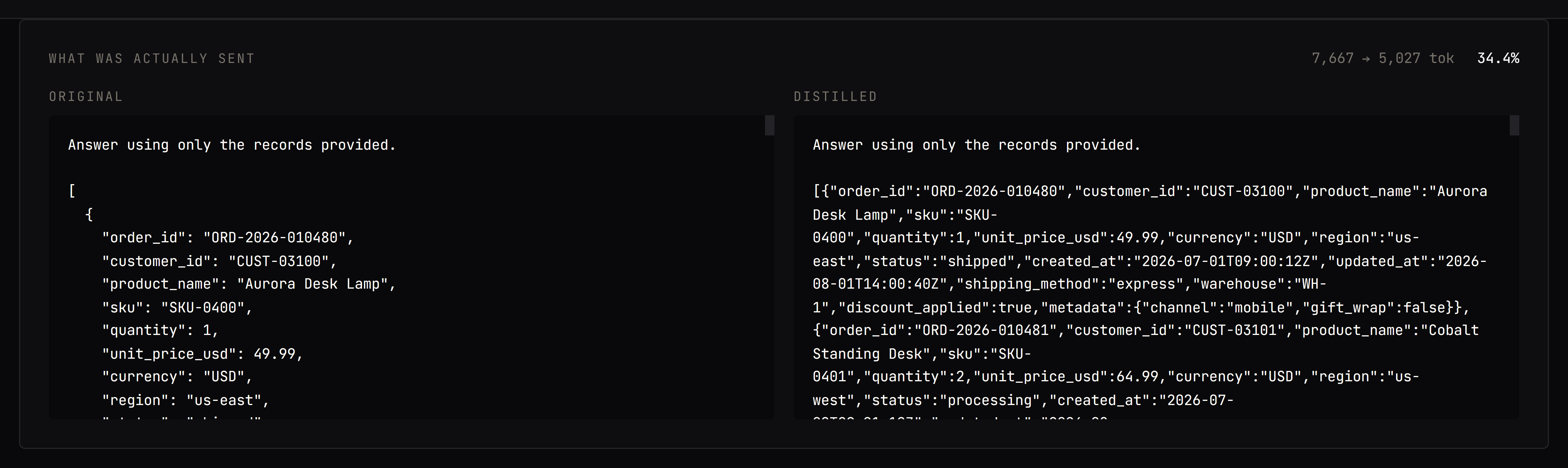
Pricing
Local models are unlimited on both tiers, offline, forever. If a subscription lapses the app downgrades — it never locks you out.
Free
$0 forever
Everything local, unmetered.
- Unlimited local Ollama models, offline
- 200 cloud proxy requests a month
- Safe-level compression
- Agent loop breaker
- Secret pre-flight scanning
- Structural compression
Pro
Recommended$19.99 per month, or $199/yr
Unlimited cloud proxying and the full engine.
- Everything in Free
- Unlimited cloud proxy requests
- Balanced and Aggressive compression
- Prompt cache alignment
- A/B testing with quality ratings
- Branded PDF audit reports
Annual billing available at checkout. Cancel any time — you keep Pro until the period you paid for ends.
Download TokenShrinker 1.0.1
Works without an account. Sign in only when you want Pro.
Before you install
These builds are not yet code-signed. Windows SmartScreen will warn on first run — choose More info → Run anyway. macOS will ask you to right-click and choose Open the first time. We are working through signing for both platforms.